You signed in with another tab or window. Reload to refresh your session.You signed out in another tab or window. Reload to refresh your session.You switched accounts on another tab or window. Reload to refresh your session.Dismiss alert
{{ message }}
Repository navigation
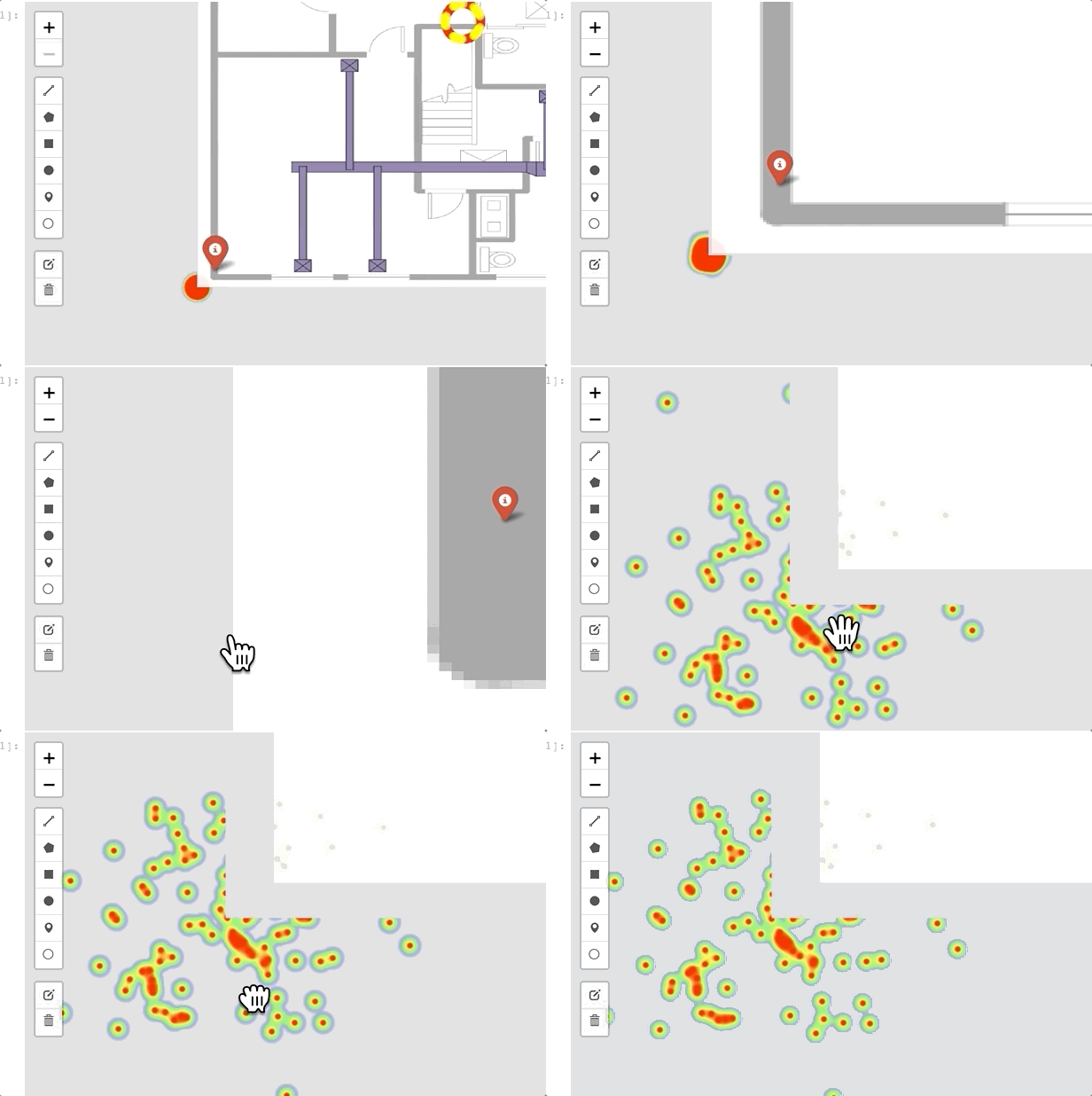
Heatmap is visulized in the back of overlay image #1201
Hi @alabrazi, great gif, the issue is clear. I remember we had a discussion on that before. I suspect this is very similar. You can read it here: #767. In short, it's a Leaflet issue. I'll include the solution listed there here as well:
A quick dirty fix is to append the following to your html file: <style>.leaflet-heatmap-layer{z-index:300 !important}</style> Any z-index higher than 200 does the trick. You can add it to a custom template as described in #86.
I quess better late then never. If anybody else has problem with HeatMapWithTime drawing data behind ImageOverlay. Instead of using above mentioned line of HTML code which tries to push heatmap layer foward.
You can instead push ImageOverlay back with code <style>.leaflet-image-layer{z-index:-1 !important}</style> (Index -1 sets image back of the stack).

Activity
Conengmo commentedon Aug 29, 2019
Hi @alabrazi, great gif, the issue is clear. I remember we had a discussion on that before. I suspect this is very similar. You can read it here: #767. In short, it's a Leaflet issue. I'll include the solution listed there here as well:
Can you try that and let us know if it helped?
Conengmo commentedon Sep 21, 2019
I’ll close the issue since I think there’s not much we can do at the folium side.
JavierParada commentedon Oct 19, 2020
Where should I include <style>.leaflet-heatmap-layer{z-index:300 !important}</style>?
JavierParada commentedon Dec 5, 2020
How can we solve this same issue with HeatMapWithTime instead of HeatMap?
Dakcser commentedon Apr 3, 2023
I quess better late then never. If anybody else has problem with HeatMapWithTime drawing data behind ImageOverlay. Instead of using above mentioned line of HTML code which tries to push heatmap layer foward.
You can instead push ImageOverlay back with code
<style>.leaflet-image-layer{z-index:-1 !important}</style>(Index -1 sets image back of the stack).