Repository navigation
Cannot authenticate anymore once I clear all the data #798
Description

Hello,
When I cleared all the data in /config /data and /.db, I wanted to start again fresh, doesn't allow me to login. For some reason
- it still persisted the old authentication details, when I log in with them, it just goes back to registration page
- I can successfully reset my password, it comes with the reset url, and I change the password and accepts it, but again, it goes back to the registration page.
My config is the following:
{
  "root": "/var/www/solid.mysite/data",
  "port": "8443",
  "serverUri": "https://solid.mysite.com/",
  "webid": true,
  "mount": "/",
  "configPath": "/var/www/solid.mysite/config",
  "configFile": "/var/www/solid.mysite/config.json",
  "dbPath": "/var/www/solid.mysite/.db",
  "sslKey": "/etc/letsencrypt/live/solid.mysite.com/privkey.pem",
  "sslCert": "/etc/letsencrypt/live/solid.mysite.com/fullchain.pem",
  "multiuser": false,
  "corsProxy": "/proxy",
  "email": {
    "host": "smtp.gmail.com",
    "port": "465",
    "secure": true,
    "auth": {
      "user": "admin@mysite.com",
      "pass": "plain-text-password"
    }
  }
}
My nginx proxy is as follows:
server {
  server_name solid.mysite.com;

  listen 443 ssl; # managed by Certbot
  ssl_certificate /etc/letsencrypt/live/solid.mysite.com/fullchain.pem; # managed by Certbot
  ssl_certificate_key /etc/letsencrypt/live/solid.mysite.com/privkey.pem; # managed by Certbot
  include /etc/letsencrypt/options-ssl-nginx.conf; # managed by Certbot
  ssl_dhparam /etc/letsencrypt/ssl-dhparams.pem; # managed by Certbot

  location / {
    proxy_set_header X-Real-IP $remote_addr;
    proxy_set_header Host $http_host;
    proxy_buffering off;
    proxy_ssl_certificate /etc/letsencrypt/live/solid.mysite.com/fullchain.pem;
    proxy_ssl_certificate_key /etc/letsencrypt/live/solid.mysite.com/privkey.pem;
    proxy_pass https://localhost:8443/;
  }
}

server {
  listen 80;
  server_name solid.mysite.com;
  return 404; # managed by Certbot
}
Then I run it
solid start --config-file config.json -v
The error message when I try to access a resource is the following:
solid:ACL Using ACL https://solid.mysite.com/.acl for ./profile/card +8s
  solid:permissions Checking access for agent https://solid.mysite.com/profile/card#me +8s
  solid:permissions No groups authorizations exist +0ms
  solid:ACL Read access denied to https://solid.mysite.com/profile/card#me +2ms
  solid:server Error page because of: { [HTTPError: Access to https://solid.mysite.com/profile/card denied for https://solid.mysite.com/profile/card#me]
  name: 'HTTPError',
  message: 'Access to https://solid.mysite.com/profile/card denied for https://solid.mysite.com/profile/card#me',
  status: 403 } +0ms
  solid:server Display no-permission for https://solid.mysite.com/profile/card +1ms
There seems to be something fishy in where it stores the state, I cant seem to clean or clear it. Any ideas so I can start from fresh, including the model creation.
Activity
dmitrizagidulin commentedon Sep 29, 2018
@mohamedmansour - couple of notes.
The .db/ directory is where a user account object (along with credentials) is stored, so deleting it breaks login.
Some of the javascript apps (like the data browser, user account page, etc) also store authentication state in cookies and in localStorage, so you want to clear that as well.
dmitrizagidulin commentedon Sep 29, 2018
As far as starting fresh, you’ll want to clear the following things:
Afterwards, go ahead and Register the account again.
mohamedmansour commentedon Sep 29, 2018
@dmitrizagidulin sorry I should have been more clearer, all cookies and localStorage on the browser already cleared. It is in a stuck state that I cannot recover. I even took out the nginx proxy thinking it is that fault.
I actually removed all the /.db /config /data folders and opened in incognito.
mohamedmansour commentedon Sep 29, 2018
@dmitrizagidulin Here is how I am doing it:
Config:
Actions to remove everything:
Run the server:
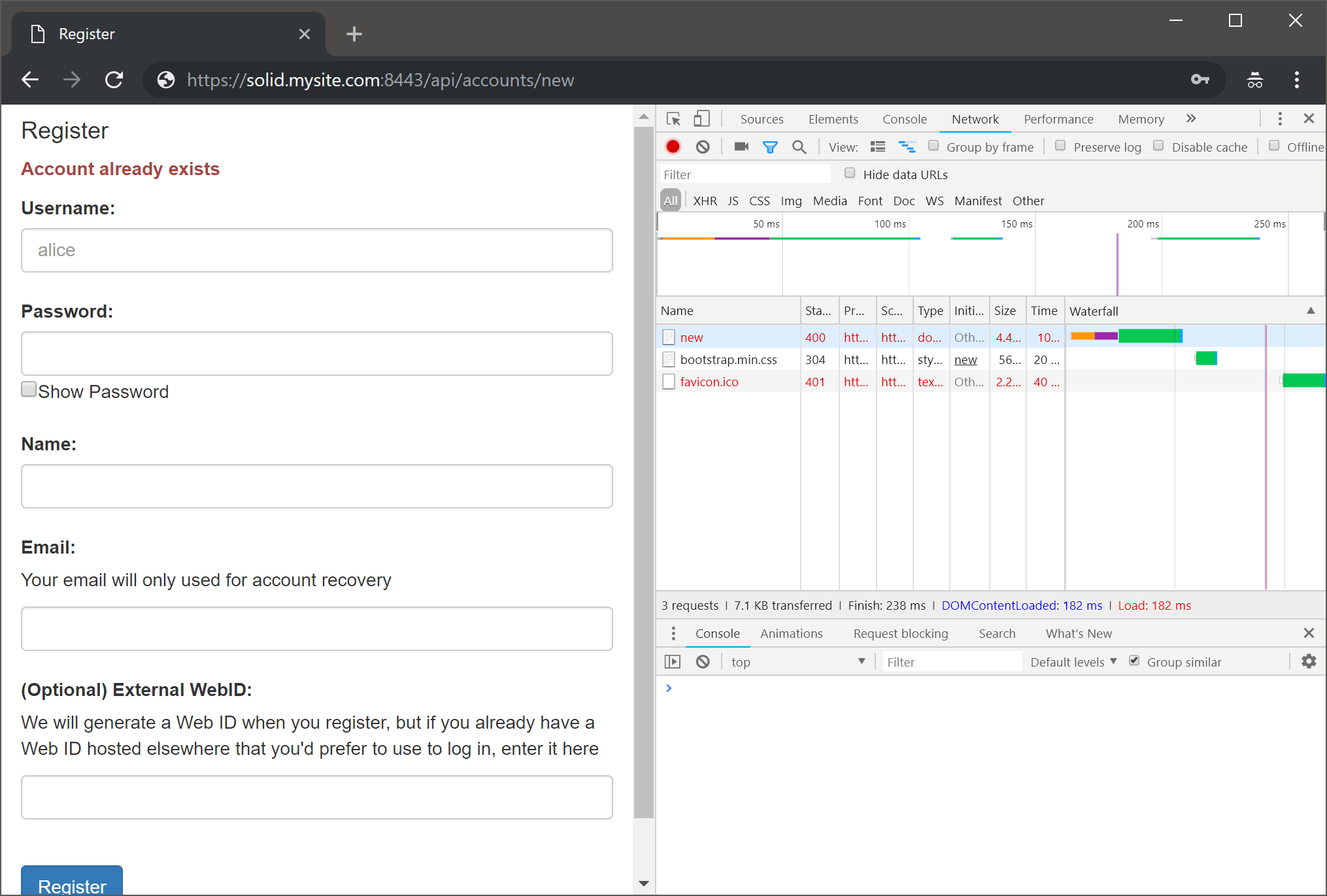
In Chrome Incognito
Sparxmith commentedon Sep 29, 2018
@mohamedmansour I'm going to use a Docker image to Repro the issue. What OS and/or Distro are you using? (It shouldn't matter, but I like to control as many variables as is possible.)
mohamedmansour commentedon Sep 29, 2018
Thanks to gitter, it was hidden files that fooled me :( Thanks @Sparxmith and @dmitrizagidulin
rm -Rfdoesn't remove hidden files.Main reason why I did it like that cause I didn't want to reset the folder permission, thought it was quicker, but turned out to waste so much time on my end!