Repository navigation
Cloudstack 4.15 not comptatible with Virtualbox/Ubuntu 20.04 (focal) ? #4595
Description

Hi,
I try to make Cloudstack work as a lab in the same machine on VirtualBox with Ubuntu 20.04 using KVM (using those tutorial link1 and link2),
I tried the focal keyword to get the latest version
deb http://download.cloudstack.org/ubuntu focal 4.15
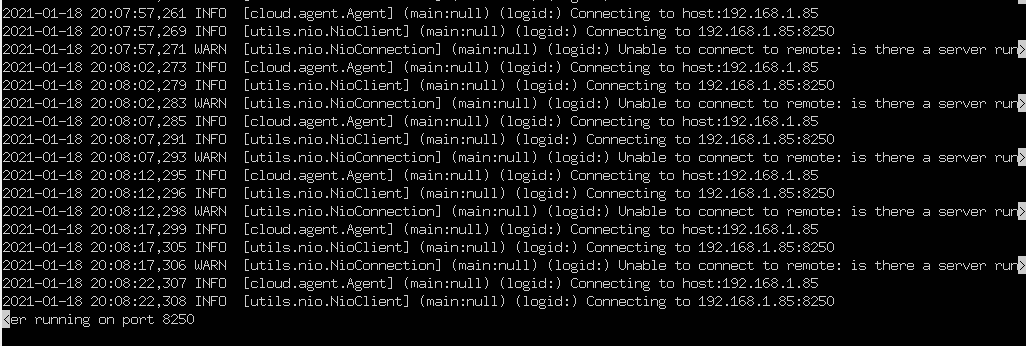
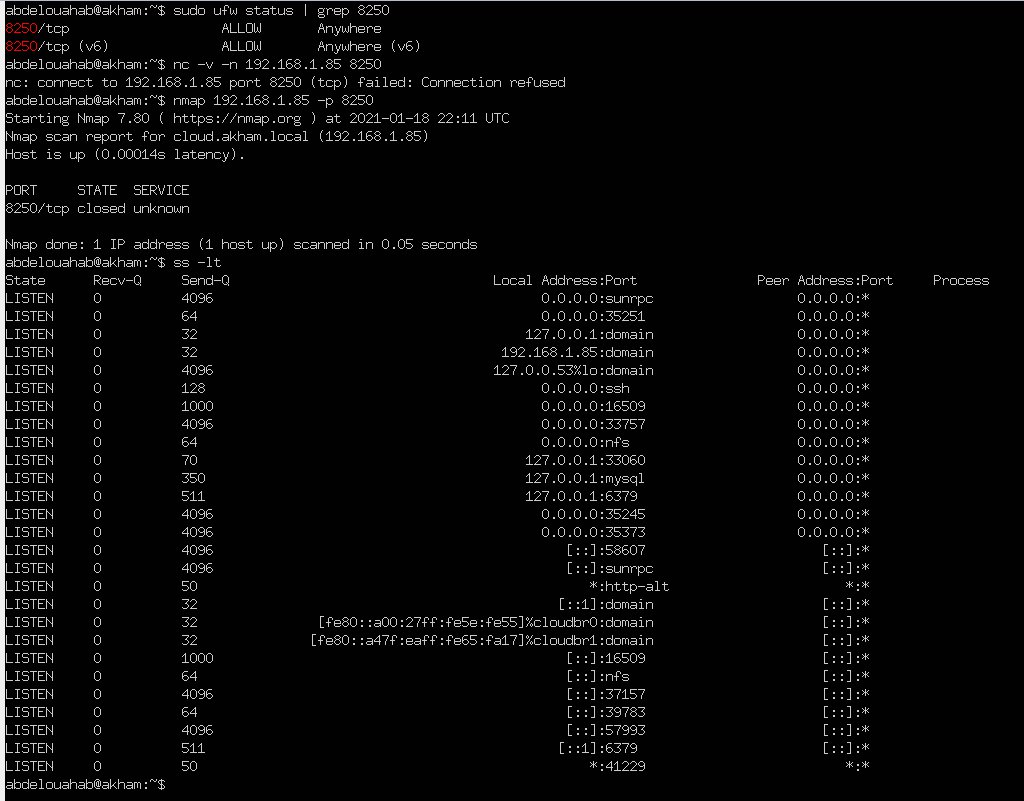
using sudo systemctrl status openstack-agent, I get the error unable to connect to remote: is there a server running on port 8250 (it is not listening using ss)
I made the debug :
0 - Network cloudbr0 is configured
1 - Checked the ports here, then verified that all of them are not blocked,
2 - SSH is configured as it should PermitRootLogin without-password and StrictModes yes
3 - kvm-ok returns KVM acceleration can be used (virsh list works)
4 - MySql is configured without errors after using cloudstack-setup-databases
5 - CloudArmor is well configured
6 - Everything seems well configured, but still get the http://192.168.1.85:8080/client/ not working (500 error)
Is there something I am missing ?

Activity
[-]Cloudstack 4.15 not comptatible with Virtualbox/Ubuntu 20.04 ?[/-][+]Cloudstack 4.15 not comptatible with Virtualbox/Ubuntu 20.04 (focal) ?[/+]weizhouapache commentedon Jan 19, 2021
@abdelouahabb
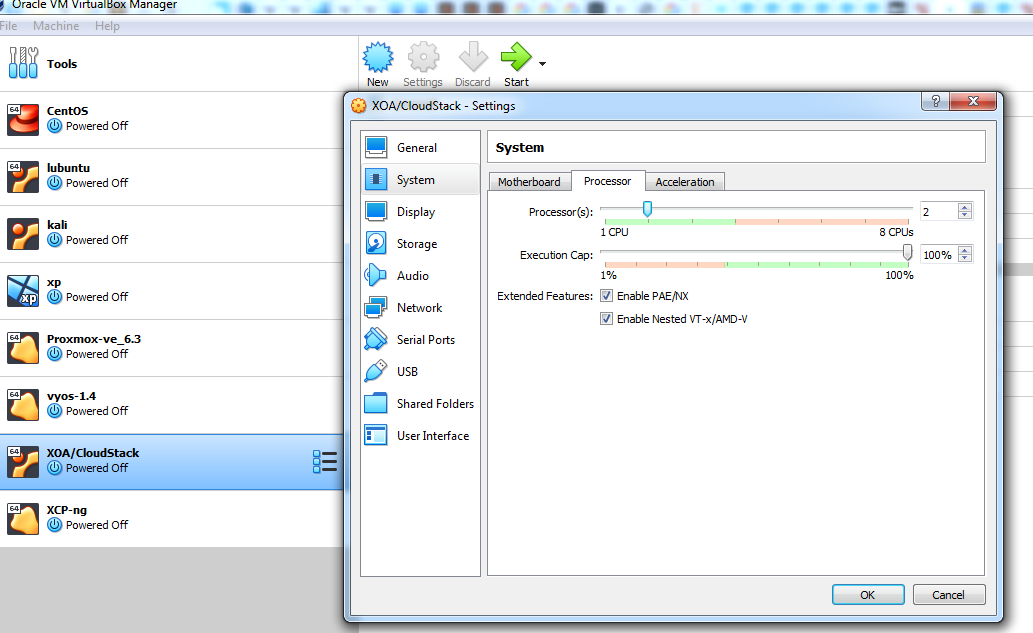
if you want to use a vm in virtualbox as host, you need to enable nested virtualization.
https://docs.oracle.com/en/virtualization/virtualbox/6.0/admin/nested-virt.html
abdelouahabb commentedon Jan 19, 2021
It is already enabled, here is the screenshot
weizhouapache commentedon Jan 19, 2021
@abdelouahabb
it looks there are issues with your cloudstack management server (192.168.1.85).
could you please check the log /var/log/cloudstack/management/management-server.log on 192.168.1.85 ?
abdelouahabb commentedon Jan 19, 2021
This is weird, the file is empty, and the error file from the systemctrl message dont exist but the service started ?
weizhouapache commentedon Jan 19, 2021
@abdelouahabb
I suggest you to setup the db again. it seems db is broken.
refer to http://docs.cloudstack.apache.org/en/latest/installguide/management-server/index.html
Set up the database. The following command creates the “cloud” user on the database.
cloudstack-setup-databases cloud:@localhost --deploy-as=root: -e <encryption_type> -m <management_server_key> -k <database_key> -i <management_server_ip>
abdelouahabb commentedon Jan 19, 2021
That worked ! Thank you very much ! it seems I made a mistake by making the command
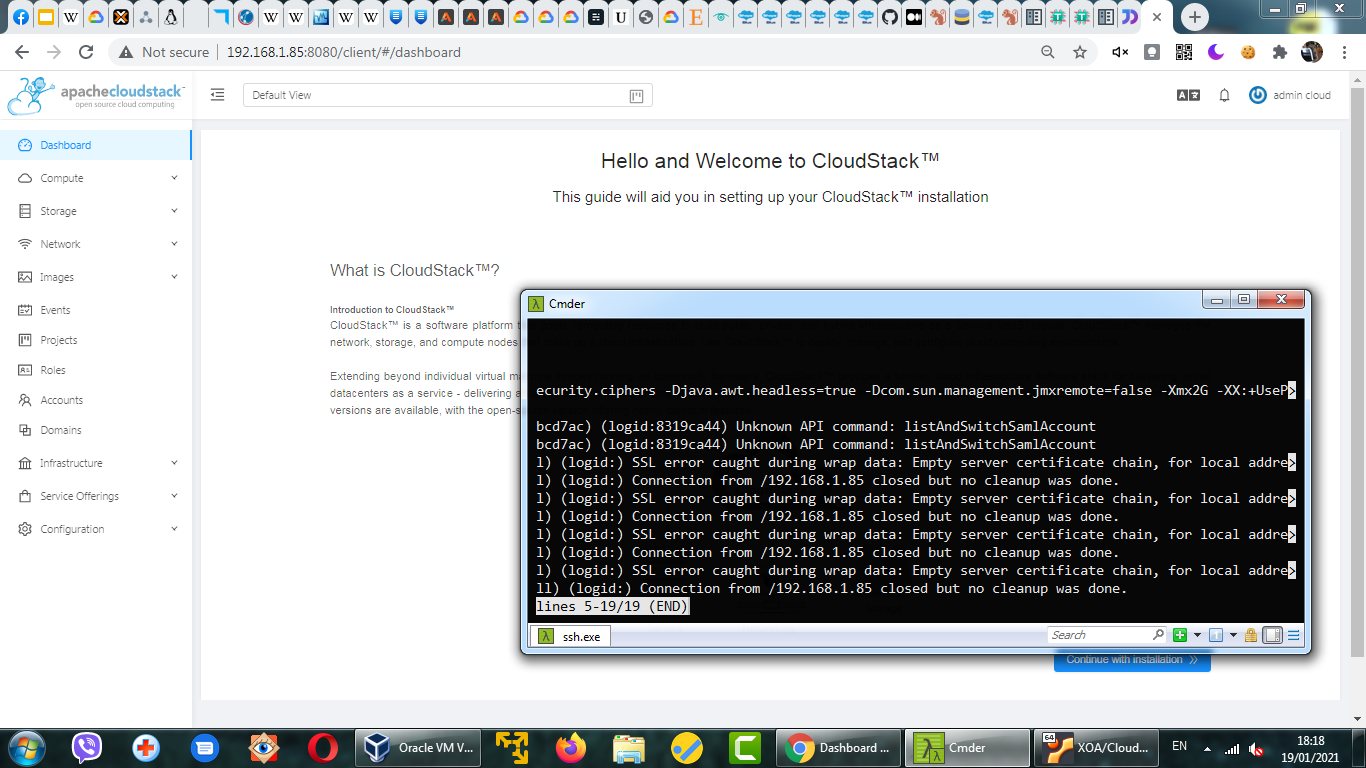
cloudstack-setup-databases cloud:some_password@some_distant_host, I will try to make a script that detects this beginner error as the one i made !Now i am getting some certifcates errors but this is fine !
Thank you again !