This repository was archived by the owner on Jan 18, 2023. It is now read-only.
Repository navigation
This repository was archived by the owner on Jan 18, 2023. It is now read-only.
Tile data #31
Description

Hello,
I have been trying to use the Tile API to create maps and have a couple questions:
-
What type of coordinates are expected as an input for generating tile datasets?
-
Can this only output as PNG? If so how can the resulting PNG be georeferenced to create maps?
Are there any available example codes for creating a tile dataset?
Thanks
Activity
Lyetenth commentedon Oct 21, 2020
Hey @smwalter96,
The input for the tile product is a list of coordinate tuples (Ex:
[(14, 2633, 5694)]), where the coordinates are based on the Mercator projection.An example call for probability depth and historic event:
--
However, after discussing with the team, an alternative might be to use the XYZ Tiles in QGIS. See the screenshots below and let me know if this resolves your question.
Make a
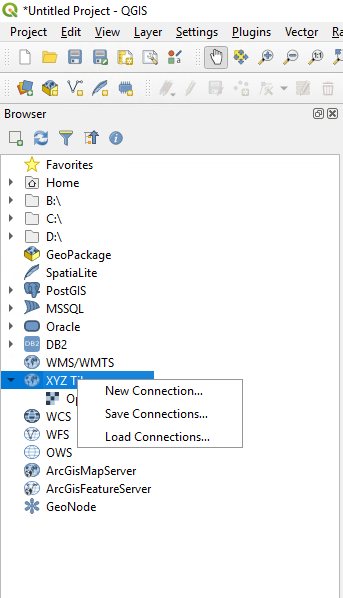
New Connectionunder theXYZ Tilesin the Browser of QGISProvide it a name and for the url insert the url below, and click OK:
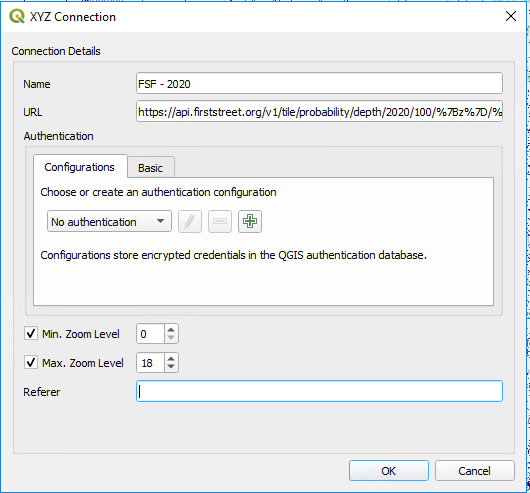
https://api.firststreet.org/v1/tile/probability/depth/{YEAR}/{RETURN_PERIOD}/%7Bz%7D/%7Bx%7D/%7By%7D.png?key={YOUR_API_KEY}There are 3 variables to fill in: The year (Ex: 2020), return period (Ex: 100), and your API key. More information (and modifying this example for historical events) can be found here: https://docs.firststreet.dev/docs/tiles-probability-depth
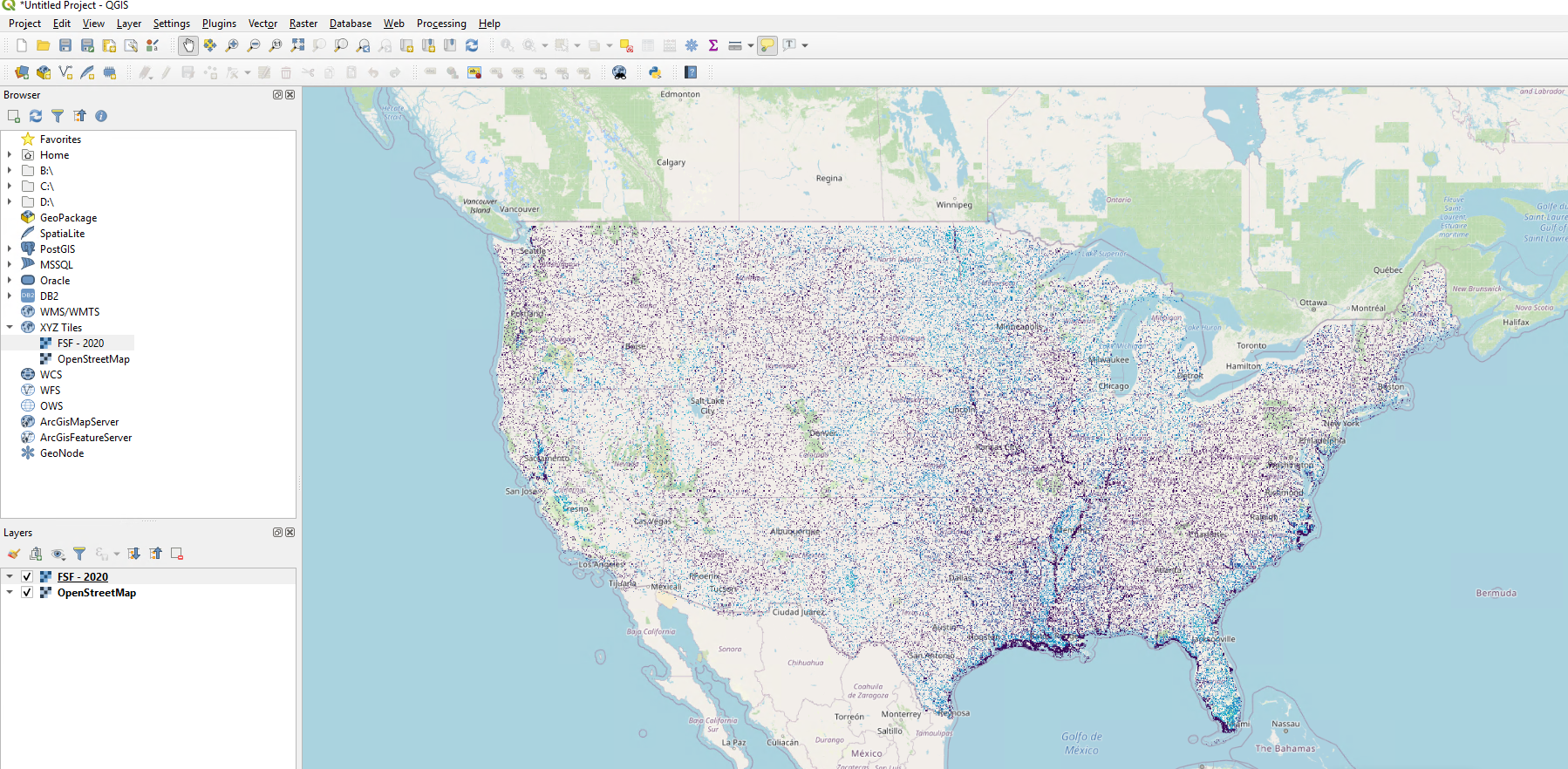
Double click the new Tile on the Explorer, and you should see the tiles on the map
Lyetenth commentedon Nov 24, 2020
Hey @smwalter96,
Closing this issue due to inactivity. Please feel free to reopen